

I am a big believer in jotting things down.
If I have an idea, you bet I captured it. But that's the problem, I CAPTURE EVERYTHING.
At one point, I had so many half-baked ideas in my note-taking app that nothing made sense anymore. Until.. AI came in the picture.
Suddenly, those random notes could be summarized, searched, connected, and actually made useful.
You could ask questions across everything you've written. Turn messy thoughts into clear insights. Find that one idea from three months ago in seconds. It's been a game-changer.
But, not every AI note-taker is built the same.
I have spent way too much time testing these tools. Heck, I even built one myself, so you must believe I know what I am talking about.
If you are in the market for an AI note taking app, I have done the research for you. This guide gives you my honest take on the popular options out there so you can pick the right one. Hope it helps!
What Are the Best AI Note Taker Apps? A Quick Comparison
What Is an AI Note Taker?
An AI note taker uses artificial intelligence to help you capture, organize, and make sense of information. At its core, it applies large language models to turn raw input—whether that's typed notes, voice recordings, or transcribed conversations—into something actually useful.
The best ones don't just transcribe or summarize. They help you search across everything you've captured, connect related ideas, answer questions about your notes, and surface insights you'd never find manually. Think of it as adding intelligence to your note-taking workflow, not replacing the act of taking notes.
Types of AI Note Takers
Speech-to-text AI Note Takers
These tools are built specifically for calls and meetings. They use speech-to-text models (like Whisper) to transcribe conversations in real-time, then apply AI to generate summaries, action items, and key takeaways.
Some join your meetings as bots (Otter), while others record your system audio directly (Hyprnote, Granola, Fathom). The output is meeting-specific: transcripts, summaries, and searchable recordings of what was discussed.
PKM Note-Taking Apps with AI
Tools like Notion and Obsidian weren't built for meetings, they're for personal knowledge management (PKM), kind of like a second brain. They've now added AI features to help you write, organize, search, and connect ideas across all your notes.
The AI assists with drafting, summarizing long documents, answering questions about your knowledge base, and surfacing related notes. These work with whatever you type in, not just meeting audio.
Reviews of the Best AI Note Taker Apps
1. Hyprnote - Best Free AI Note-Taking App

Full disclosure, I am Hyprnote's founder. Of course I put my tool on the top, a little self-promotion doesn't hurt anyone. But hear me out before you skip ahead.
Every AI note taking software I tested before building Hyprnote didn't give me a choice. Use their cloud, their models, their rules. My data goes where they decide, processed how they decide. I didn't get a say.
That's why Hyprnote exists. It runs on your device by default (local-first)—Whisper models for transcription, our custom HyperLLM-V1 for summarization. Nothing leaves your machine unless you choose to sync. No meeting bots. No forced uploads.
Want better AI? Plug in your own OpenAI, Mistral, or whatever endpoint you prefer. Your data, your choice.
Best for companies where cloud-based tools like Otter AI are banned, healthcare professionals dealing with HIPAA, or anyone who just wants to decide where their data goes.
Key Features:
- Complete local processing: Speech-to-text and AI summarization happen on your device using Whisper models and HyperLLM-V1 (a custom 1.1GB model that outperforms larger alternatives)
- Universal meeting compatibility: Works with Zoom, Teams, Meet, and every other platform without bots—captures your microphone and system audio directly
- Works offline: Take notes, record, and transcribe without internet connectivity
- Flexible AI options: Go fully local, connect to OpenAI/Mistral/Ollama, or use custom endpoints
- Open-source: Inspect the code, contribute, or customize it for your needs
- Enterprise deployment: On-prem, VPC, or hybrid options with SSO, consent management, and admin controls
- Custom templates: Tailored formats for therapy sessions, legal meetings, job interviews, or casual coffee chats.
- Search your meeting history: Ask "What did Sarah say about the budget?" instead of scrolling through months of notes.
- AI chat: Get immediate answers about action items, deadlines, or who said what during meetings.
- AI autonomy control: Choose how much AI changes your notes—Minimal improvements to your original thoughts or complete AI restructuring.
- Source analysis: Hover over summaries to see the exact transcript quote behind every AI-generated point.
Pros:
- Free for core functionality. No per-token charges or surprise bills
- Security teams approve it (reduces compliance surface area)
- No vendor lock-in. You can swap AI providers anytime
- Real notepad experience from the moment you open it
Cons:
- macOS only (Windows and iOS app coming soon!)
- Manual speaker tagging required (Speaker identification coming soon)
- No video recording
Pricing:
Hyprnote's core transcription and note-taking features are free forever.
Consider upgrading to Pro ($8/month or $59/year, save 65%) when you want cloud services included without managing API keys
2. Obsidian with AI Plugins - Best for Knowledge Management
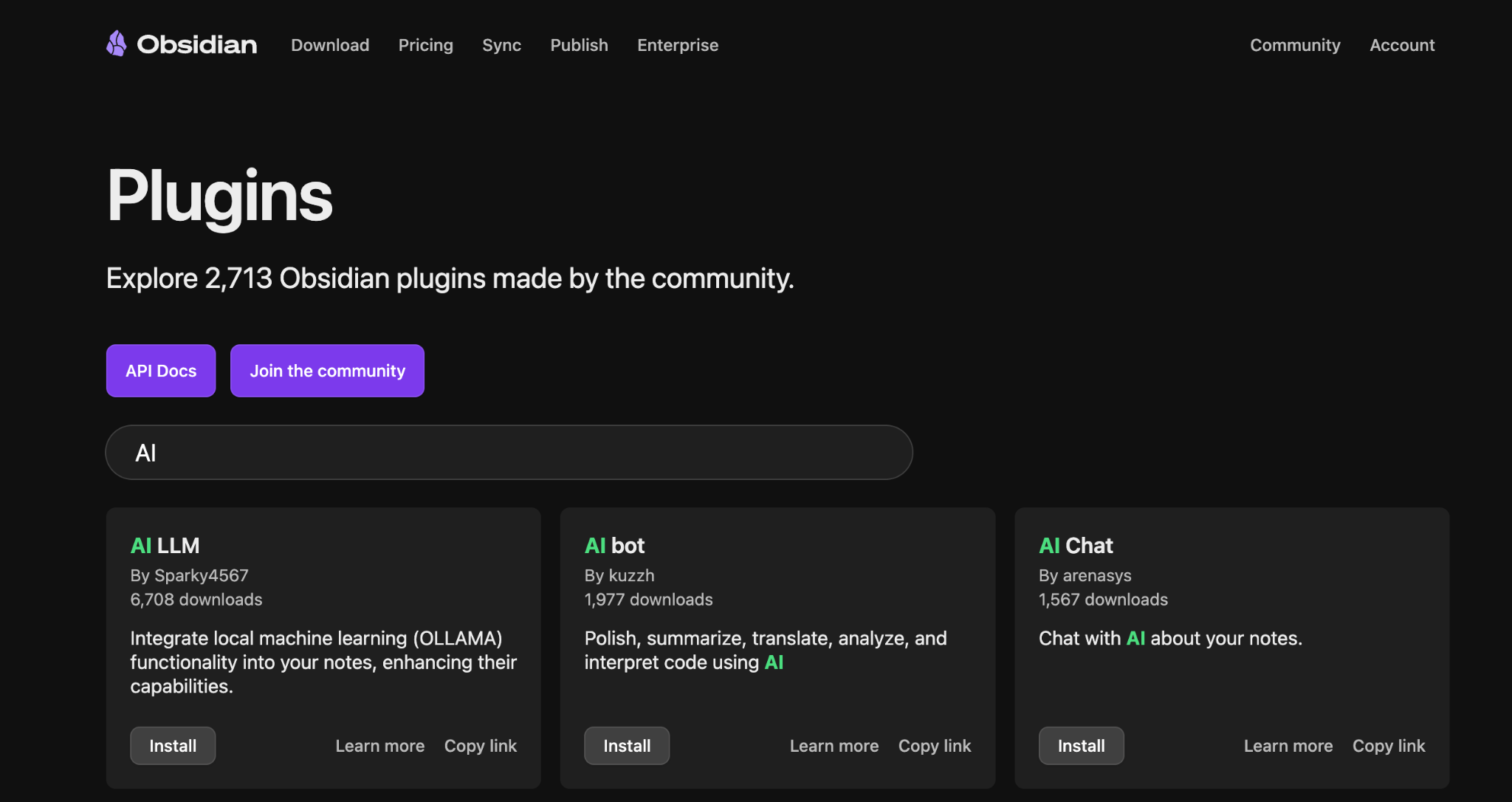
I'm obsessed with Obsidian. Their file over app manifesto hits home. Everything is plain markdown files on your device. If Obsidian dies tomorrow, your notes survive.
But it's not an AI note taker out of the box. It becomes AI-powered through plugins.
The problem? You're building a system, not using an app. Every feature needs a plugin, documentation, setup. I've spent weekends tweaking themes instead of writing. It's brilliant when it works, exhausting when it fights you.
Key Features:
- Local markdown files—you own your data completely
- 2,700+ community plugins for every use case imaginable
- AI capabilities through plugins (Copilot, Smart Connections, AI Chat)
- Graph view for visualizing connections between notes
- Works offline, syncs across devices (paid Sync add-on or DIY)
- Integrates with Zotero, Todoist, and other tools via plugins
Pros:
- True data ownership
- Incredibly powerful for linking ideas and building knowledge graphs
- Active community building plugins constantly
- Works on Windows, macOS, Linux, iOS, Android
- Local-first with optional cloud sync
Cons:
- Steep learning curve—you're building a system, not using an app
- AI features require plugin setup and maintenance
- Can become a productivity procrastination trap (endless tweaking)
- Not visually polished out of the box, requires theme hunting
- Markdown editing can feel clunky for rich media
- Plugin dependency means features can break or get abandoned
- Overwhelming for simple note-taking needs
Pricing:
Free core app with optional paid services (Sync $5/month, Publish $10/month)
3. Granola: Best for Active Note Takers During Meetings
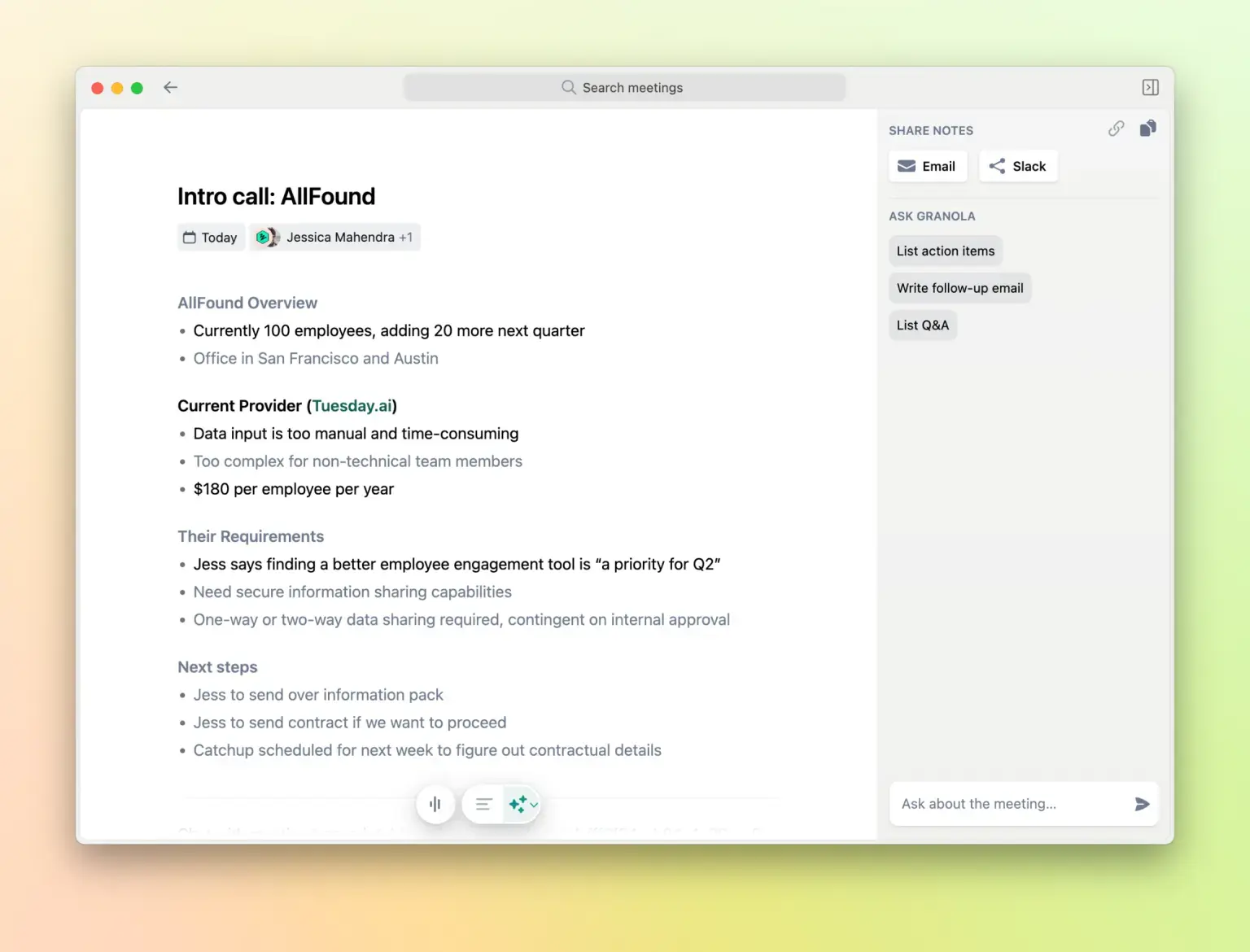
Granola is an AI-powered notepad designed for people who prefer taking their own notes but want intelligent assistance to make them comprehensive.
Like Hyprnote, the tool captures audio directly from your device, but sends your data to the cloud for AI processing, which can pose privacy concerns for organizations with strict compliance requirements.
Key Features:
- Hybrid approach: combines your manual notes with AI transcription
- Bot-free recording—captures system audio directly
- Granola Chat lets you ask questions across all your meetings
- Customizable templates for different meeting types
- "Recipes" for one-click complex prompts (PRD generation, leadership coaching)
- Works on Mac and iPhone, integrates with Notion, Slack, HubSpot, Attio
Pros:
- Familiar notepad interface similar to Apple Notes
- No complex setup required
- Works across all video conferencing platforms by capturing device audio directly
- Notes ready almost immediately after the meeting ends
Cons:
- Requires active note-taking during meetings to be most effective
- No video recording, only provides transcripts and summaries
- No permanent free tier after the 25-meeting trial period
Pricing:
Offers a free plan with limited meeting notes. Paid plans start at $14/month.
4. Notion - Best if You Already Live in Notion
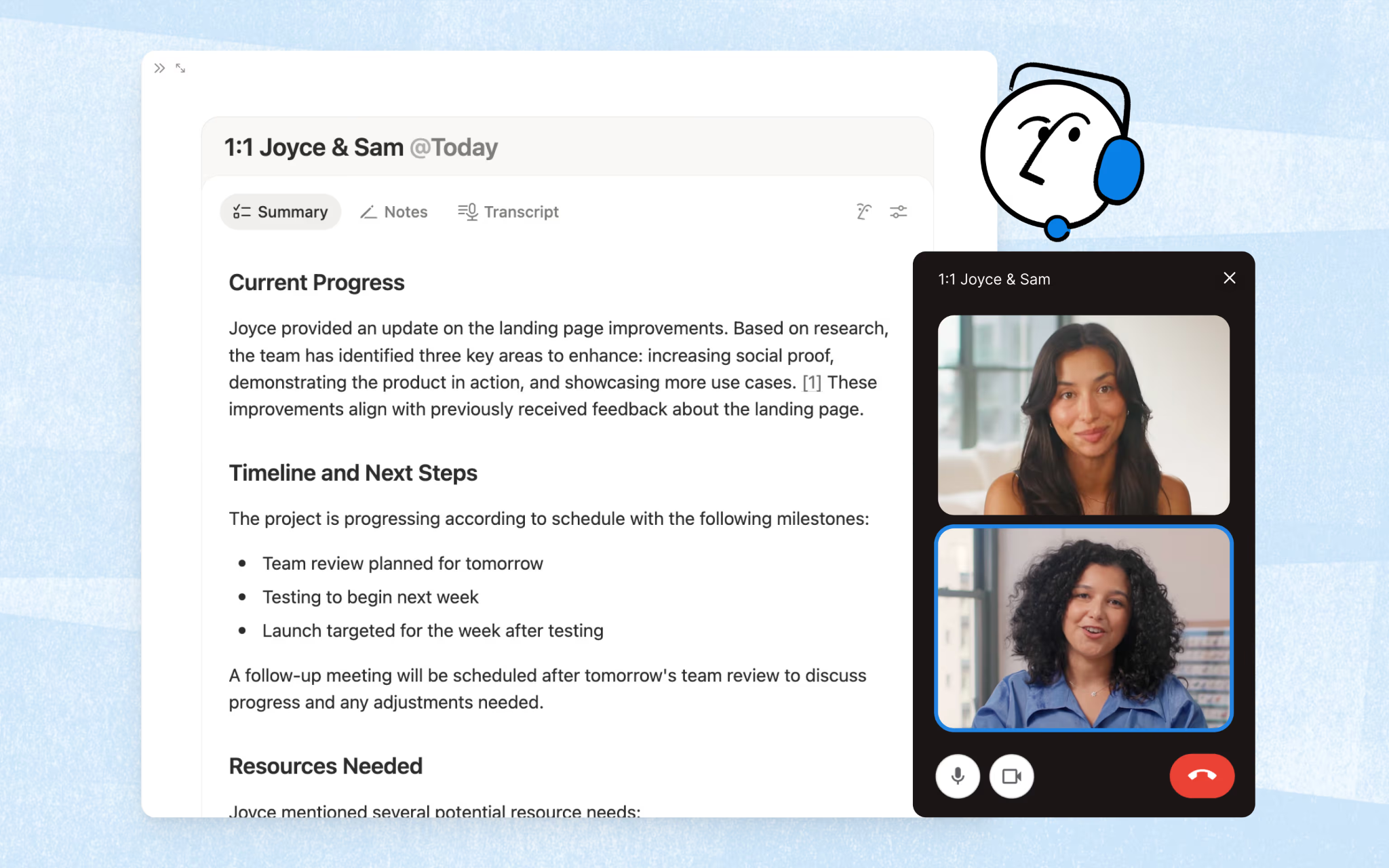
Notion, an all-in-one workspace tool, now has AI. Chat that searches your workspace, writing assistance that drafts and edits, meeting transcription without bots. The appeal is not switching tools.
The catch? The AI is bolted on, not built in. Notion was never designed for note-taking, the block system is clunky, mobile is slow.
Most people capture notes elsewhere, then organize in Notion. The AI helps with organization (search, summaries), but you'll hit paywalls. Limited trials on free and paid plans.
Key Features:
- AI Meeting Notes (transcription, summaries, action items) without bots
- Databases with custom properties, views, and filters
- Real-time collaboration with inline comments
- Customizable templates for every use case
- Publish pages to the web as websites
- Integrations with Slack, HubSpot, Zapier, and more
Pros:
- True all-in-one platform (notes, tasks, wikis, databases)
- Excellent for team collaboration and knowledge management
- Free tier is genuinely useful for individuals
- Cross-platform (web, Windows, Mac, iOS, Android)
- AI features built in (chat, generate, autofill, meeting notes)
- Strong ecosystem of templates and integrations
Cons:
- Clunky for actual note-taking (block system fights quick capture)
- Slow performance, especially mobile
- Steep learning curve for advanced features
- Can become overwhelming (tries to do everything)
- Data lives on their servers
Pricing:
You'll need Notion's $24/month Business Plan to be able to use its AI features.
5. Fathom: Best for Sales Teams
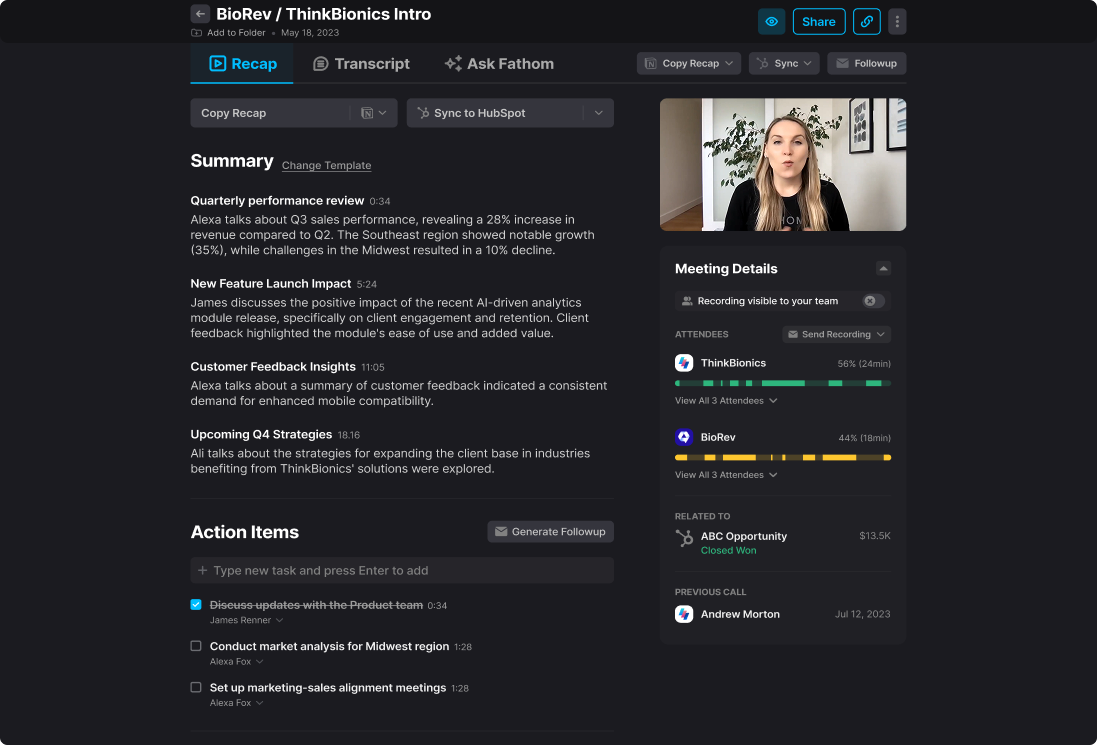
Fathom is built for sales teams who need their meeting notes synced to CRM automatically. It records, transcribes, summarizes, but the real value is that it pushes everything to Salesforce, HubSpot, or Close without you touching anything. Sales calls go straight into your pipeline with action items already logged.
Key Features:
- Auto-sync to Salesforce, HubSpot, Close CRM
- "Ask Fathom" conversational AI across all calls
- Coaching metrics and AI scorecards for sales performance
- Deal View summarizing insights across multiple calls
- Custom vocabularies for industry jargon
- Integrates with Slack, Asana, Zapier, Notion
Pros:
- Deep CRM integrations (not just basic sync)
- Conversation intelligence built for sales
- Accurate transcription handles accents well
- Generous free tier to test
- Strong customer support (5/5 on G2 from 6,345 reviews)
Cons:
- Does not work offline or for in-person meetings
- Bot presence in the calls may feel intrusive
- Advanced AI features require paid plans
Pricing:
Has a generous free tier with basic CRM sync. Team $18/month/user (min 2 users) adds collaboration. Business $28/month/user unlocks full CRM field sync, Deal View, and coaching metrics.
Also offers a $20/month plan with integrations and advanced AI but without the collaboration and coaching features.
6. Reflect: Best for People Who Found Obsidian Too Complex and Notion Too Slow
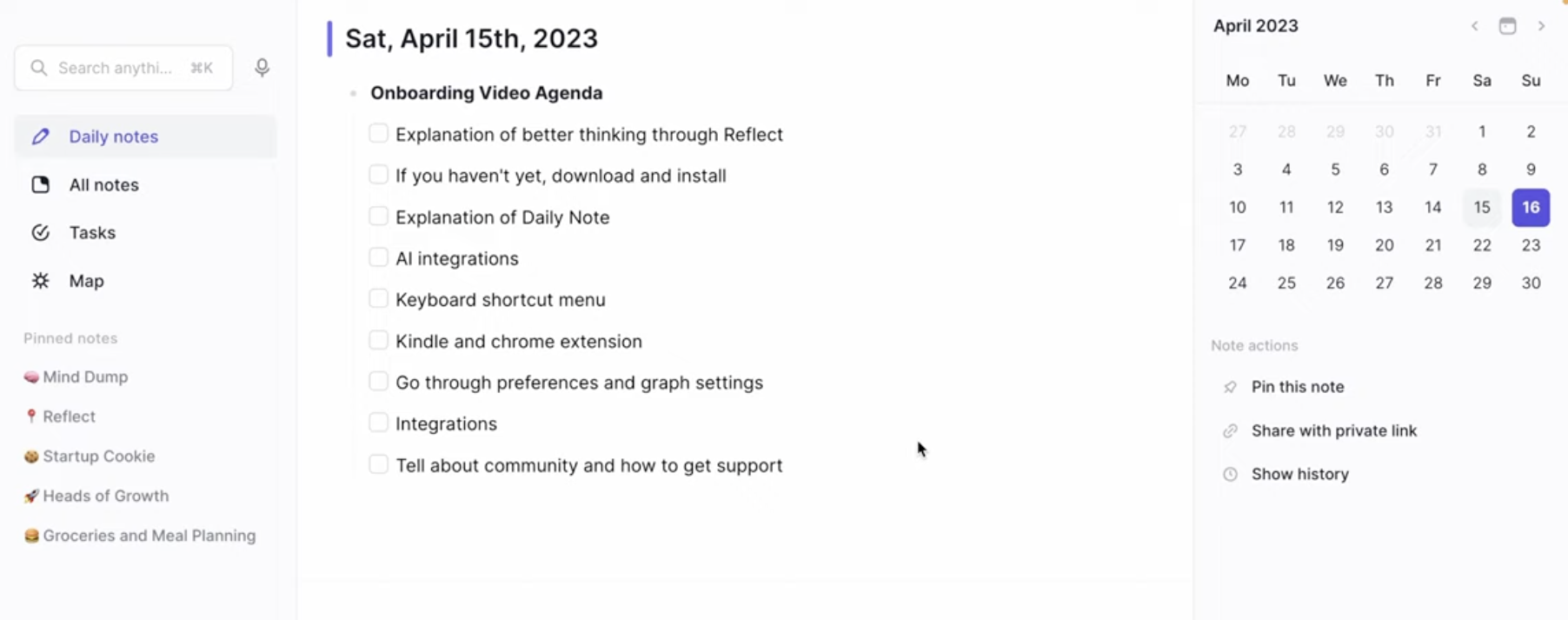
Reflect is a daily notes app with backlinks and AI bolted on. Every day gets a new note. You write. It links. That's the core loop. The AI (GPT-4 and Whisper) can transcribe voice notes, generate summaries, answer questions about your notes. Google Calendar integration means your meetings show up in the sidebar, ready for notes.
It's designed for people who think in connections, not folders. Everything is chronological by default. Backlinks surface automatically. End-to-end encrypted, so only you can read your notes. Fast, minimal, opinionated—there's basically one way to use it.
Key Features:
- Daily notes with automatic backlinks
- AI chat, summaries, and voice transcription (GPT-4 and Whisper)
- Google Calendar and Outlook integration
- End-to-end encryption
- Chrome web clipper and Kindle sync
- Cross-platform sync (iOS/web)
Pros:
- Fast, noticeably faster than Notion or Roam
- Simple without being limiting
- AI feels integrated, not tacked on
- Encrypted without sacrificing features
- Responsive team shipping constantly
Cons:
- No Android (mobile web is bad)
- Yearly payment only ($120, no monthly)
- No collaboration features by design
- iOS/web only (no Windows/Linux desktop)
- More expensive than alternatives
Pricing:
$10/month (must pay $120 annually). 14-day free trial.
7. Otter AI: Best if You're Looking for a Feature-rich Solution
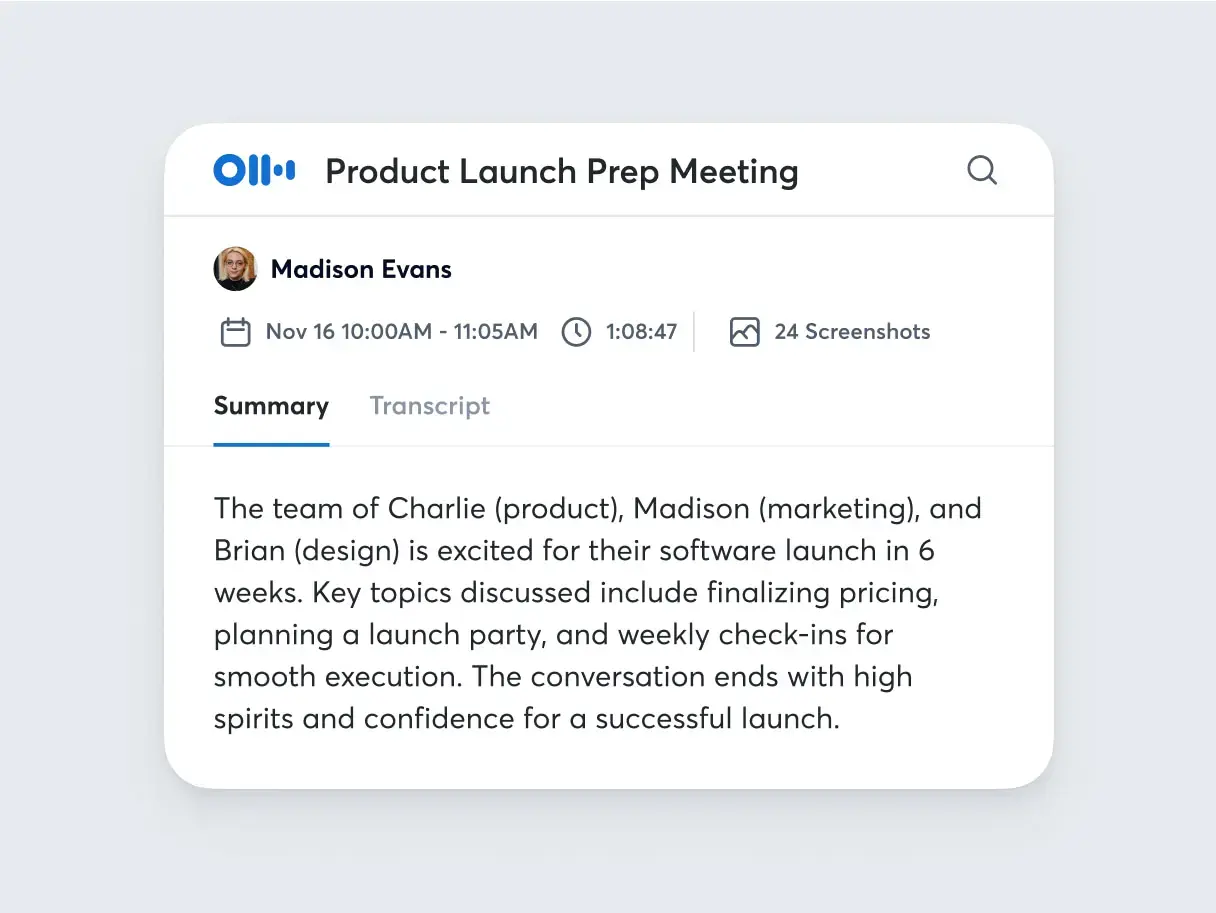
Otter has been in the AI note-taking game longer than most and it shows. The product is feature-rich, has extensive integrations (Salesforce, HubSpot, Slack, Notion), and solid team collaboration tools. The bot joins your meetings, transcribes, learns speaker voices, captures slides automatically. AI chat lets you query transcripts. It works.
But here's what you need to know: there's a federal lawsuit alleging Otter records without proper consent. Users report the bot automatically inviting colleagues, joining meetings uninvited, sharing transcripts externally. Customer support is slow, cancellations are difficult, and your data gets shared with third parties for AI training. The free tier is deliberately limited to push you toward paid plans.
If you're okay with cloud-only, bot-based recording, and the privacy tradeoffs, Otter delivers on features. If you care about data control or work with sensitive information, the problems outweigh the polish.
Key Features:
- Automated transcription (bot joins Zoom, Teams, Google Meet)
- AI chat across meeting transcripts
- Slide and screen capture during meetings
- Speaker identification (learns voices over time)
- Integrations with Salesforce, HubSpot, Slack, Notion
- Mobile apps (iOS/Android)
Pros:
- Established, reliable transcription
- Works with major platforms
- AI chat is useful for querying past meetings
- Free tier exists (limited but usable)
- Team collaboration features
Cons:
- Federal lawsuit over unauthorized recording practices
- Automatically invites colleagues and joins meetings without permission
- Shares data with third parties for AI training
- Customer support is extremely slow
- Account deletion doesn't actually delete (fake deletions)
- Billing traps (non-refundable, misleading plan differences)
- Internet-dependent (no offline functionality)
- Restrictive free tier (300 min/month)
Pricing:
Free tier is 300 min/month, Pro is $17/month, Business is $30/month where most teams end up
8. Mem AI - Best for Self-Organizing Notes

Mem.ai is built around one idea: you shouldn't have to organize notes.
Dump everything in—voice notes, meeting transcripts, web clips, random thoughts—and AI handles the filing.
Mem 2.0 brought big improvements (faster, better AI), but my review is split. While I love the hands-off approach, I found the AI sometimes connects things that aren't related.
Key Features:
- Voice notes with transcription (turn brain dumps into notes)
- Meeting recording and transcription
- AI-powered Collections (auto-organize by topic)
- Heads Up (surfaces related notes automatically as you write)
- Mem Chat (ask questions, generate content from your notes)
- Chrome extension for web clipping
Pros:
- Truly zero manual organization required
- Fast interface, minimal design
- Voice and meeting features work well
- Good at retrieving information with AI
- Works across devices (Mac, Windows, iOS, web)
Cons:
- Free tier is useless (25 notes/month)
- No Android app
- Slow development (features lag behind competitors)
- AI over-relates things that aren't related
- Can't export individual notes as markdown
- Tab system confusing (opens many tabs unknowingly)
- Internet required for AI features
Pricing:
Offers a free tier, but real use requires Pro at $12/month.
Frequently Asked Questions
1. Can I use AI for note-taking?
Yes, and you probably should. AI note-taking tools transcribe conversations, generate summaries, extract action items, and help you search across everything you've captured. They're particularly useful for meetings, lectures, interviews, or anytime you need to focus on the conversation instead of frantically typing notes.
The key is choosing the right tool for your needs. If you work with sensitive information, go local-first (Hyprnote). If you need CRM integration, use something built for sales (Fathom). If you just want AI to organize your messy thoughts, try Mem.ai.
2. Can ChatGPT take notes?
ChatGPT can help you organize and summarize notes you've already taken, but it can't record or transcribe meetings for you. You'd need to feed it text manually—paste in a transcript, ask it to summarize or extract action items.
For actual meeting transcription and note-taking, you need dedicated tools like Hyprnote, Otter, or Granola that capture audio and transcribe in real-time. Some of these tools use GPT-4 for summarization, but the recording and transcription happens separately.
3. Is AI note-taker legal?
Yes, AI note-takers are legal, but recording conversations has legal requirements depending on where you are. In the US, some states require "two-party consent" (everyone must agree to be recorded), while others only need "one-party consent" (you can record if you're part of the conversation).
The legal risk comes from recording without consent, not from using AI. Tools like Otter and Fireflies that join meetings as bots make it obvious you're recording. Tools like Hyprnote and Granola that capture system audio are invisible—so you need to tell people you're recording.
For work meetings, check your company's policy. For healthcare, legal, or finance, look for tools that handle consent properly (Hyprnote has consent management for enterprise).
4. Which AI note-taking app doesn't join video calls?
Hyprnote records your microphone and system audio directly on your Mac. No bot, no cloud uploads, everything stays local.
Bot-based tools like Otter, Fireflies, and most meeting-focused AI note-takers join as visible participants. If you want invisible recording, go with Hyprnote—just make sure you tell people you're recording.
5. Can AI be 100% trusted?
No. AI makes mistakes—hallucinations, incorrect summaries, missed context. Always review AI-generated notes, especially for important meetings or decisions.
That said, AI transcription accuracy is generally 85-95% with good audio quality.
6. Which AI note taker is secure?
Hyprnote is the most secure because everything runs on your device by default. Your audio, transcripts, and notes never leave your Mac unless you choose to sync. Security teams approve it because there's no cloud dependency for core features. Open-source means you can audit the code.
Avoid tools with known security issues. Otter has a federal lawsuit about unauthorized recording. Fireflies has reports of bots joining meetings after account deletion. If security matters, go local-first.
